 Form button. Use
 $text property to set caption.
Last updated on 21 Jul 2007.
This is base class for all views. It is most generic one and uses simple template to display its sub-views one next to another.
This view stores and displays text. Can be used where instance of View is required instead of string.
This is a complete HTML header. Adding sub-views to Index will render them inside
<body></body> section. Use $pageTitle static
property to set page title.
All views in this section implement IReadableView interface,
so you can use valueReader() methods to read theri values
respectively.
This view is a container for other Views. While other IReadableView views
return single value via valueReader() method, Form returns array
of all sub-views' values. This array is passed to controller as FormContext object.
Form button. Use $text property to set caption.
$button = new Button();
$button->text = 'Click me';
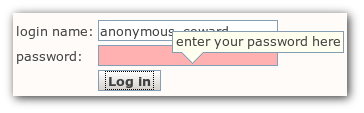 Input field of type
 text. Set $secret property to
change its type password.
$input = new Input();
$input->secret = true;
Text input area.
Drop down box. Assign assoc array to $options property to define selection.
Use $selected property to set default selection.
Group of radio buttons. Set $break property to break line after every radio button.
$rg = new RadioGroup();
$radio1 = new RadioButton();
$radio1->value = '1';
$radio1->addText('I accept');
$rg->add($radio1);
$radio2 = new RadioButton();
$radio2->value = '0';
$radio2->addText('I reject');
$rg->add($radio2);
$rg->break = true;
Simple containers.
Set of form fields, as in HTML <fieldset>
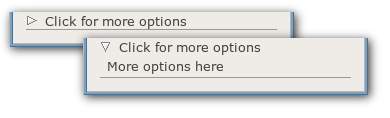 Widget to hide or reveal its inner content.
$more = new More('moreExample');
$more->text = 'Click here for more options';

$label = new Label();
$label->text = 'More options here';
$more->add($label);
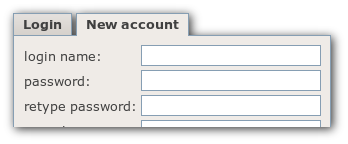 Switched tabs view.
$tf = new TabFolder('exampleTabFolder');

$loginTab = new Tab('LoginTab');
$loginTab->action = 'LoginCtrl/getLoginForm';
$loginTab->text = 'Login';
$tf->add($loginTab);

$newAccountTab = new Tab('NewAccountTab');
$newAccountTab->action = 'LoginCtrl/getNewAccountForm';
$newAccountTab->text = 'New account';
$tf->add($newAccountTab);
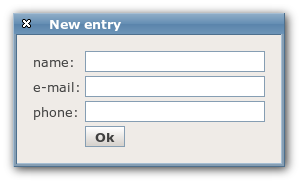 Window that can be moved over the screen.
$w = new Window('windowExample');
$w->title = 'New window';
$w->add(...)
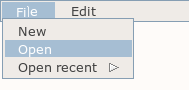 Displays hierarchical drop down menu.
$menu = new Menu('ApplicationMenu');

$file = new MenuItem();
$file->text = 'File';
$menu->add($file);

$fileNew = new MenuItem();
$fileNew->text = 'New';
$file->add($fileNew);

$fileOpen = new MenuItem();
$fileOpen->text = 'Open';
$file->add($fileOpen);

$fileRecent = new MenuItem();
$fileRecent->text = 'Open recent';
$file->add($fileRecent);

$recent1 = new MenuItem();
$recent1->text = 'nothing to open';
$fileRecent->add($recent1);

$edit = new MenuItem();
$edit->text = 'Edit';
$menu->add($edit);
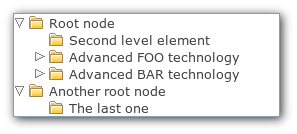 Renders tree structure with expandable items.
$tree = new Tree('tree');

$node1 = new TreeNode('element-1');
$node1->text = 'Root node';
$node1->value = 'el1';
$tree->add($node1);

$node11 = new TreeNode('element-1-1');
$node11->text = 'Second level element';
$node11->value = 'el1-1';
$node1->add($node11);

$node12 = new TreeNode('element-1-2');
$node12->text = 'Advanced FOO technology';
$node12->value = 'el1-2';
$node1->add($node12);
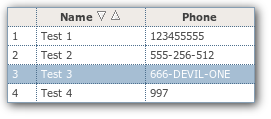 This is a complicated view. To learn more, take a look at examples provided with Tigermouse.